A good gaming desk should still feel comfortable after a long working session, not just look impressive on day one. This guide covers size, depth, monitor arms, cables, lighting and PC placement — and how to design a bespoke desk around your actual setup rather than a photograph saved on Pinterest.
A gaming desk need not look like gaming gear
The familiar gaming-desk formula is a black top, red trim, bold RGB branding and angular cut-outs. If that is your style, fair enough. But when the same space is used for gaming, work and client calls, you may want something a little more considered.
A timber and resin desk can feel like a proper piece of furniture while being designed around a thoroughly modern setup. That might mean three monitors and their arms, a powerful PC, docking station, audio interface, chargers, lighting, Ethernet, a microphone, Stream Deck or simulation equipment. The brief should reflect what you actually use.
So a bespoke gaming desk starts with the layout, not the resin colour. Where will you sit? How many monitors do you have, and which is the main one? What viewing distance suits the screen? How much mouse space do you need at low sensitivity? Where will the PC sit, and which devices do you plug in every day? Once those questions are answered, the timber, resin and lighting can serve a coherent design rather than compete for attention.
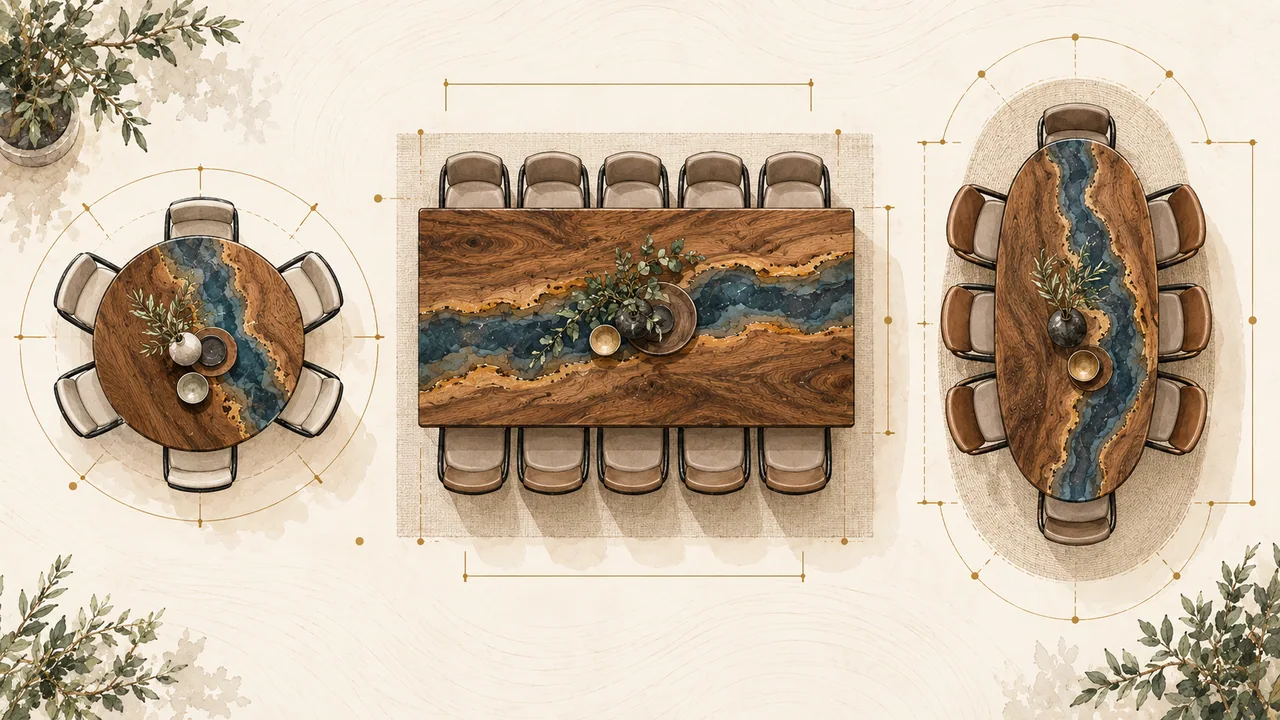
Three tables, three different approaches
These pieces feature in our business portfolio. They show why a design starts with more than resin colour: the format, timber grain, resin river and base all shape the table’s character and the way it can be used.

Azure River Dining Table
A large-format table with live edges, deep blue resin, striking grain and an open geometric steel base.

Deep Blue Round Table
A compact round table combining richly figured timber with translucent blue-violet resin and a striking sense of depth.

Live-Edge White Resin Table
Natural timber edges and a clean white resin river create a lighter composition for a dining or meeting space.
The photographs show genuine Ahoj Epoxy pieces. Descriptions reflect the features documented in our portfolio; dimensions and lead times are agreed separately for each new commission.
A quick starting point for desk dimensions
For a single monitor and a compact setup, a top around 140–160 cm wide and 70–80 cm deep is a useful starting point, rather than a one-size-fits-all rule.
For two monitors, a large ultrawide or a fuller workstation, consider a width of 160–180 cm and a depth of roughly 75–85 cm. Check the layout with your actual equipment before settling on a size.
Three monitors, a large PC case, speakers or streaming equipment may call for a desk 180–220 cm wide or more. Depth is just as important: a wide desk can still leave the screen uncomfortably close.
A monitor arm frees up surface space, but its clamp position needs to be planned for the load and the top’s construction. Leave enough access behind the desk to fit and adjust it.
If you play at low sensitivity and need generous mouse space, size the top around your arm movement as well as the monitors.
For a height-adjustable desk, design the top around the chosen lifting frame: its load capacity, travel, crossbar and fixing positions all need to work together.
Desk sizes at a glance
| Setup | Width | Depth | Allow for | Watch out for |
|---|---|---|---|---|
| Single monitor / laptop | 140–160 cm | 70–80 cm | Docking station, charging and mouse space | Insufficient depth |
| Two monitors / ultrawide | 160–180 cm | 75–85 cm | Monitor arm and cable tray | A screen positioned too close |
| Three monitors | 180–220 cm or more | 80–90 cm or more | A wide, appropriately reinforced base | Overlooking weight and stability |
| Streaming / content creation | 180–220 cm or more | 80–90 cm | Microphone arm, audio equipment and lighting controls | Cables taking over the surface |
| Gaming and work | 160–200 cm | 75–90 cm | A versatile look, USB connections and power | A look that only suits gaming |
| Height-adjustable desk | Sized around your setup | 75–90 cm | Top weight, motors and lifting range | A heavy solid-timber top on an unsuitable frame |
Depth matters more than you might think
It is surprisingly easy to make a gaming desk that looks beautiful but feels awkward. Insufficient depth is a common culprit: the monitor sits too close, the keyboard occupies the remaining space and your forearms end up against the edge. You move the chair backwards, only to lean forwards to reach everything.
OSHA’s workstation guidance gives a preferred viewing distance of roughly 50–100 cm and recommends keeping the top of the screen at or just below eye level. Your desk needs enough depth to make a comfortable position possible. These are useful planning references, not a claim that a particular desk meets UK workplace requirements.
A 60 cm-deep desk may suit a laptop, but a 32-inch monitor on a substantial stand leaves much less room. An arm can help by removing the original stand and moving the screen further back; it cannot compensate for a layout that is fundamentally too cramped.
With a 49-inch ultrawide, depth deserves particular attention. A large screen needs a comfortable viewing distance, not simply a desk wide enough to hold it.
Size the desk for how you move, not just your screens
Two players with identical monitors may need very different desk layouts. One uses high sensitivity and moves the mouse within a 25 cm-wide area; the other uses a large mouse mat and broad movements of the whole arm.
If there is little free space beside the keyboard, even a beautiful live edge can become an obstacle. Measure your actual mouse movement before designing the top, allow a little extra room and adapt the layout to your preferred mouse hand.
The same consideration applies to left-handed players. A desk should not assume everyone uses their mouse on the right. With a bespoke design, we can position the resin inset, cable openings, sockets and decorative details so that your working area stays clear.
Start with your elbows and wrists
OSHA’s guidance emphasises keeping your wrists straight, shoulders relaxed and elbows near your body, with the keyboard around elbow height. Arrange the chair, desk and equipment together so that you are not reaching forwards or raising your shoulders to type.
No fixed desk height will suit everyone. A top around 72–75 cm high is a familiar furniture dimension, but your chair, body proportions and keyboard position determine whether it works for you. A shorter person may need a lower keyboard position; a taller person may need a higher one.
If you spend much of the day at your computer, we start with the chair and your seated position before deciding on the desk. A fixed metal base may be exactly right. In other cases, a bespoke top paired with a suitable height-adjustable frame makes more sense.
A height-adjustable resin desk needs the right frame
A substantial oak, walnut or ash top with a resin inset can be much heavier than a conventional laminated desktop. A 180 × 85 cm top may already weigh tens of kilograms before you add monitors, speakers and a PC. Its actual weight depends on the timber, resin and thickness.
Check the lifting frame’s rated capacity and how the manufacturer defines it. Allow for everything it must lift: the top, monitor arms, screens, speakers, accessories and, where fitted, a PC suspended beneath the desk.
For an adjustable desk, choose the frame before finalising the top. We check its width adjustment, leg positions, central crossbar, fixing points and load capacity. A frame already close to its limit with an empty top leaves too little room for the rest of your setup.
The cables need to move with the desk too. Power and Ethernet leads require enough slack for the full lifting range. A cable spine or flexible vertical route should never pull taut when the desk is raised.
Plan the monitor arm before making the top
A monitor arm may look like an accessory you can add later. That can be possible, but planning it before the top is made gives us a much better chance of getting the position and fixing right.
A C-clamp needs access to the rear edge and suitable, sufficiently flat contact surfaces. A deeply contoured live edge may not provide a secure mounting point. A through-top fixing needs a planned opening, while a built-in cable channel must stay clear of the mounting hardware.
An arm carrying two or three monitors concentrates considerable load in a small area. Do not assume any solid-timber or resin surface is suitable without checking the construction and fixing requirements. We aim to locate the mount on a sound timber section or design suitable support in advance; a thin resin-only section is not an appropriate default clamp position.
One, two or three monitors
Place your main screen directly in front of you. With two screens, let the way you work guide the layout: if one is used most of the time, keep that one central and the secondary screen to the side. If you use both equally, a more symmetrical arrangement may suit you better.
OSHA’s workstation checklist recommends placing the primary monitor directly in front of you, with additional monitors beside it, to limit unnecessary neck turning.
With three displays, desk width becomes particularly important. Allow for arms, cables and speakers as well as the screens themselves. On a top that is too narrow, the outer displays may have to turn sharply inwards, leaving the whole setup cramped.
Make cable management part of the design
A beautifully made desktop deserves better than a tangle of leads beneath it. Cable management should receive the same attention as the base.
A generous metal tray beneath the desk can accommodate a power strip and adapters. For a cleaner arrangement, add a discreet rear channel, separate openings near the monitor arms and a planned vertical route to the wall socket. Keep connections accessible and follow the equipment’s ventilation requirements.
A PC on the desktop may need power, DisplayPort or HDMI, USB, audio, Ethernet and peripheral connections. If it sits below the desk, plan a tidy, protected route downwards for those same leads.
There is no reason to drill a 60 mm hole simply because it is a common cable-grommet size. A discreet slot, two smaller openings or an open rear channel may work better. Design the route around the equipment and connector sizes.
Built-in power and USB connections
Built-in sockets can be useful for work, charging and peripherals. But an oversized power module in the middle of a beautiful timber top can dominate the design.
We favour a discreet recessed module where it is genuinely useful, or under-desk power with accessible USB-C leads. A larger gaming-and-work desk may benefit from a full socket module; a minimal setup may only need a concealed arrangement. The components and socket format should be agreed for the intended destination.
A USB-C socket alone does not tell you whether it will charge your laptop. Choose a module, power supply and cable that support the device’s required charging profile and power, including USB Power Delivery where needed. Check the manufacturer’s specifications rather than judging by the connector shape.
Where should the PC go?
Keeping the PC on the desk shows off the build, but it takes up valuable surface space. A substantial case may occupy 25–35 cm of width or more, reducing the room available for speakers or another monitor. Measure the actual case rather than relying on an estimate.
Placing the PC below the desk frees up the top, but avoid a cramped, unventilated cupboard. Keep the case clear of your knees and leave sufficient cable slack if the desk is height-adjustable.
Another option is a separate side unit or raised stand. This can work particularly well with a larger bespoke setup: the desk stays uncluttered and the PC sits at a convenient height, clear of the floor. Keep its intake and exhaust paths unobstructed.
Lighting that looks considered, not intrusive
Lighting works best when it complements the materials rather than becoming the whole design. A strip beneath the rear edge, a soft glow reflected onto the wall or illumination through a translucent resin section can make an impression in the evening while remaining discreet by day.
A harsh strip with individually visible LED dots can undermine even a beautifully made timber top. The diffuser, channel depth and direction of the light all make a difference.
If lighting is integrated into the top, it should remain accessible for maintenance. LEDs and power supplies will not last indefinitely. Permanently encapsulating electronics in resin makes replacing a failed component unnecessarily difficult.
A modular arrangement is more practical: an accessible channel, removable diffuser, replaceable LED strip and clearly planned wiring route.
Keep the resin river clear of your mouse movement
With a level surface and a consistent finish, the transition between timber and resin need not interrupt your working area. A decorative inset should not introduce a raised edge, textured ridge or abrupt joint where you move the mouse. A suitable mouse mat also gives the sensor a predictable surface.
Glossy resin feels different from matt-finished timber. Many players prefer a large mouse mat anyway, and the design can accommodate that from the start. Position the most distinctive resin detail where it will remain visible around your equipment.
Design for the finished setup, not just a photograph of an empty desk. Map out where the keyboard, mouse mat, monitor stand and PC will actually sit.
Choosing timber for a gaming desk
Oak is a versatile starting point. Its distinctive grain pairs comfortably with black metal, darker resin and a restrained interior palette.
Walnut gives the desk a rich, understated character — particularly appealing when the room doubles as an office and gaming space. Warm lighting, black hardware and clear or graphite-coloured resin can complement its darker tones.
Ash creates a lighter feel in a contemporary setup. Pale timber, a black base and dark resin offer a strong contrast; a clear inset can give the piece a calmer, Scandinavian-inspired character.
The individual slab matters more than the species name alone. For a desk, we look for a sound construction and a main working area that does not feel visually overloaded.
Choosing a resin colour that will last beyond your RGB theme
Vivid blue is a familiar river-table look, but it is far from the only option. Smoky, graphite, black, deep green, amber, clear and muted opaque tones can give a bespoke desk a different character. The best choice is the one that suits the timber and your room, rather than a passing trend.
You can coordinate the resin with your lighting, but avoid tying a long-lived piece of furniture to one RGB preset. Tomorrow you might switch from purple to warm white; the desk should still feel right.
Think of the resin as part of the permanent design, and RGB lighting as a layer you can change.
Live edge or a clean-cut shape?
A live edge reveals the timber’s natural shape and makes every desk individual. But the front edge, where your forearms rest, should remain comfortable rather than sharply or deeply contoured.
OSHA identifies contact stress where the body presses against workstation edges. A comfortable front-edge profile matters on a gaming desk because your forearms may rest in the same area for long periods.
Keep a more organic edge at the back or sides, and give the working edge a gentler shape, rounded profile or subtle bevel. A natural-looking desk need not be uncomfortable.
How thick should the top be?
A very thick top makes a statement, but it can compromise clearance. With a 70–80 mm top at a conventional desk height, the underside sits lower, leaving less space for knees and chair arms.
Extra thickness also adds weight. A fixed steel base can be designed to accommodate it; with a lifting frame, the load capacity becomes a central constraint.
A substantial appearance does not require unnecessary bulk. A sensibly proportioned top, carefully finished edge and well-matched base can look more refined than a heavy slab chosen simply for its thickness.
Choosing a metal base
For a gaming desk, we favour bases that leave the central leg space clear. A striking diagonal structure is less appealing if it gets in the way of your knees or chair castors.
U-shaped and trapezoidal legs offer a clean geometric look. A central frame or individually designed steel base can provide planned cable routes and additional fixing points.
On a wide desk, check how the top will resist sagging. The base must support it in the right places, and the fixings should accommodate the natural movement of solid timber.
An L-shaped desk for two distinct zones
An L-shaped layout can be useful when you need two distinct areas: gaming and work, a computer and simulator, or your main monitor setup alongside space for a laptop or graphics tablet.
An L-shaped desk occupies more room and needs a more carefully planned structure. Two heavy tops require a properly designed joint and support arrangement, not an improvised connecting plate.
Agree which side the return belongs on before manufacture. It sounds obvious, but changing a detail like this afterwards can be costly.
Designing a desk for streaming
A streaming setup adds a microphone arm, lighting controls, camera, capture device, Stream Deck, audio interface and often another monitor. Include them in the layout from the beginning.
Dedicated mounting areas around the edges and a discreet channel for audio and USB cables help keep the setup organised. Avoid clamping a microphone arm to a very thin decorative resin edge.
If the desk appears on camera, consider how it works with your backdrop or green screen. Timber, resin and distinctive details can become part of your channel’s visual identity without putting an oversized username across the entire top.
Sim racing and demanding accessories
A force-feedback wheel places very different demands on a desk from a keyboard. The wheel base, gear shifter and handbrake can impose substantial changing loads on the front edge. Check the specific equipment and mounting requirements.
If the desk will occasionally be used for sim racing, plan suitable mounting positions before it is made. For a powerful direct-drive wheel, a dedicated cockpit may be a better solution than a desktop clamp; follow the equipment manufacturer’s recommendations.
A bespoke desk does not need to replace purpose-built equipment when that equipment is better suited to the job.
Built-in details worth considering
Useful options include a generous cable tray, discreetly housed power strip, headphone hook, USB-C charging point, Ethernet route, planned monitor-arm mount, removable shelf above the desk, PC holder, accessible lighting channel and a neatly integrated drawer beneath the top. Choose the details that genuinely suit your setup.
Be more selective about features that look good in a product shot but limit how you use the desk: a fixed cup holder on only one side, shaped cable openings in the wrong places or electronics that cannot be replaced.
A bespoke desk should give you more flexibility, not less.
Can wireless charging be built in?
Under-surface chargers and recessed modules are available, but compatibility needs checking for the particular design. The material, distance between charging coil and phone, charging technology and device alignment all affect performance. Do not assume every charger will work through a thick timber top.
An under-surface charger may require a carefully machined recess beneath the top to reduce the distance to the phone. CNC routing allows that detail to be prepared before finishing, provided the chosen charger’s requirements and the top’s remaining strength permit it.
Allow for replacing the charger later. Charging technology changes much faster than a well-made desk needs replacing, so the module should remain accessible.
Matt, satin or gloss?
OSHA’s purchasing guidance recommends a matt desktop finish to reduce glare. For a desk used daily for both work and gaming, that is a useful reason to consider a lower-sheen finish rather than a mirror-gloss surface.
A suitable satin finish can retain the resin’s visual depth without giving the whole desk a mirror-like surface. A large desk mat is another practical option. Agree the finish with the chosen material system and the way you will use the desk.
Mirror-gloss black resin can look striking in a carefully lit photograph, but it also makes dust, fingerprints and fine surface marks more noticeable. Consider that trade-off if you want a desk for everyday use rather than a display piece.
Cable routes for a sit–stand desk
A common mistake is to hide the cables neatly at seated height and forget the desk’s full travel. Depending on the frame, the top may rise another 40–50 cm or more. Check the actual lifting range rather than planning for only one position.
Every lead running from the wall or floor to the moving desk needs enough slack throughout the lifting range. A single organised cable spine is usually tidier than several loose hanging leads.
Mounting a suitable power strip beneath the top lets the equipment’s adapters move with the desk, with one planned mains lead running to the wall. Keep the installation accessible and follow the components’ mounting instructions.
Leave room for your next setup
Your next monitor may be larger, your next PC smaller and your connections different. A good bespoke design leaves room for those changes rather than fitting today’s equipment too tightly.
Where practical, create a flexible mounting area rather than drilling solely for one monitor stand. Keep the power strip accessible, the LED strip replaceable and some spare capacity in the cable channel. Electronics should be replaceable without remaking the top.
Build the lasting design around timber, metal and sound proportions. Treat the electronics as an accessible, replaceable layer.
Different rooms call for different looks
A teenager’s gaming room might welcome bold colours, expressive shapes and more prominent lighting. If that suits the room and its owner, the design can embrace it.
In a home office that also accommodates gaming, video calls and paperwork, walnut or oak, dark metal, discreet lighting and an uncluttered surface can sit more comfortably with the rest of the home.
Both can be equally well thought through technically. The visual language is simply different.
Desks for gaming venues and esports spaces
Bespoke desks are not only for home setups. An esports lounge, gaming bar, staff recreation room, hardware showroom or event space may need a coordinated series of desks with consistent dimensions and cable routes.
For a business order, consistency becomes a priority. Natural timber varies from piece to piece, but agreed dimensions, resin colour, metalwork, fixing points and electronic-module positions can be standardised.
Branding can take the form of engraving, a CNC-cut inlay or a carefully integrated insert rather than simply an applied graphic.
White-label manufacturing for European design studios
Designers and studios in Germany, Austria, Czechia, Poland, Switzerland and elsewhere can develop the room concept and entrust the specialist desk manufacturing to our Bratislava workshop.
Ahoj Epoxy can work on a white-label basis: you manage the client relationship under your own brand, while we manufacture the agreed top, metal structure, resin elements, CNC components and provisions for electronics.
For a remote project, precise measurements, CAD or 3D documentation, an equipment list and an agreed cable plan are especially valuable. Clear responsibilities between suppliers help prevent mismatches. Good documentation is a better investment than correcting avoidable problems after manufacture.
Planning delivery across Europe
A large desk is often more practical with a detachable base. Transporting the top and metalwork separately can simplify handling and access. Agree the packing, on-site assembly and handling arrangements for the specific project.
Wherever the desk is being delivered, check doorways, corridors, stairs and lifts as well as the room itself. A 220 × 90 cm top may fit the room perfectly yet be impossible to carry up the staircase.
For integrated electronics, plan accessible, manufacturer-approved connections that simplify assembly. Do not assume all electrical work is plug-and-play: agree the components, destination requirements and whether a qualified installer is needed before manufacture.
What to send us for a quote
Send the available space, preferred desk width and depth, your height, photographs of the room, monitor sizes and quantities, any chosen monitor-arm models, PC-case dimensions, a list of your main equipment and a few visual references.
For a height-adjustable desk, include the frame you have selected, or ask us to help plan a compatible option.
For a business project, include drawings, quantities, the delivery country and your branding and electronics requirements.
Common mistakes that make an expensive desk uncomfortable
Insufficient depth: the monitor sits too close and occupies most of the available space.
An overly thick top at a conventional height, leaving too little clearance for knees and chair arms.
A monitor arm clamped to an uneven live edge without suitable contact surfaces.
A cable channel that obstructs the monitor-arm clamp.
A PC neatly concealed in a recess without adequate ventilation.
Lighting permanently embedded in resin, with no way to replace it.
A permanent design built around an RGB colour scheme you may soon want to change.
A sharp edge exactly where your forearms rest.
A lifting frame chosen after the heavy top is made, leaving it too close to its load limit.
A design based on an empty-desk photograph rather than your actual equipment list.
Your gaming desk questions answered
What is a useful starting size for a gaming desk?
For a full setup, around 160–180 cm wide and 75–85 cm deep is a useful starting point. Your monitors, mouse movement and available room determine the final dimensions.
Can the desk accommodate three monitors?
Yes, provided the top and base are designed for the screens’ width, mounting arrangement and total load.
Can you make a height-adjustable desk?
Yes. We need a compatible lifting frame with suitable capacity for the top and all the equipment it will carry.
Can RGB lighting be integrated with the resin?
Lighting can be positioned around or beneath a translucent section. The electronic components should remain accessible and replaceable rather than permanently encapsulated.
Can I fit a monitor arm?
Yes, with an appropriately planned mounting point in a sound timber section or a suitably supported fixing arrangement.
Will a mouse work on glossy resin?
Performance depends on the mouse sensor and surface. A suitable mouse mat or desk mat is the more predictable choice, and many players prefer one for feel and consistency.
Can you integrate sockets and USB-C?
Yes. The module needs to suit your devices, required charging power and the socket format and installation requirements at the destination.
Can all the cables be hidden?
Most can usually be routed out of everyday view. The exact result depends on the setup, and connections must remain accessible for maintenance.
Which timber should I choose?
Oak is versatile, walnut brings a richer character and ash gives a lighter feel. Choose the individual slab as well as the species.
Can you work from my 3D design?
Yes. For a detailed project, a 3D design is a useful starting point. We review the dimensions, construction and equipment requirements before manufacture.
Do you work with clients in Germany, Austria and Switzerland?
Yes. We can plan remote design approval and a detachable construction for transport. Delivery and assembly arrangements are agreed for each project.
Can a design studio order white-label manufacturing?
Yes. We can act as your manufacturing partner without our branding on the finished piece, as agreed for the project.
A desk for your setup, not a generic gaming category
A good bespoke desk is not designed to tick a box labelled ‘gaming’. It is designed around the person using it.
If you use one ultrawide monitor, you do not need a layout for three screens. If the PC is part of the room’s visual appeal, give it enough space. If you work by day and play at night, the materials should feel right in daylight as well as under RGB lighting. And when you change your monitor, the desk should still work for you.
Timber and resin let you create a genuinely personal desk: an individual slab, considered colour, live edge, metalwork, concealed channels, lighting and planned mounting areas. Those details become worthwhile once the layout, comfort and technical requirements are right.
Ahoj Epoxy makes bespoke furniture in Bratislava for private and business clients in Slovakia and across Europe. We can develop a gaming desk from an initial idea through to the finished piece, or manufacture from a design studio’s drawings, including white-label projects.
Let’s design a desk around your setup
Send your room dimensions, monitor details and equipment list. We will plan the cable routes, mounts and power provision before manufacture.